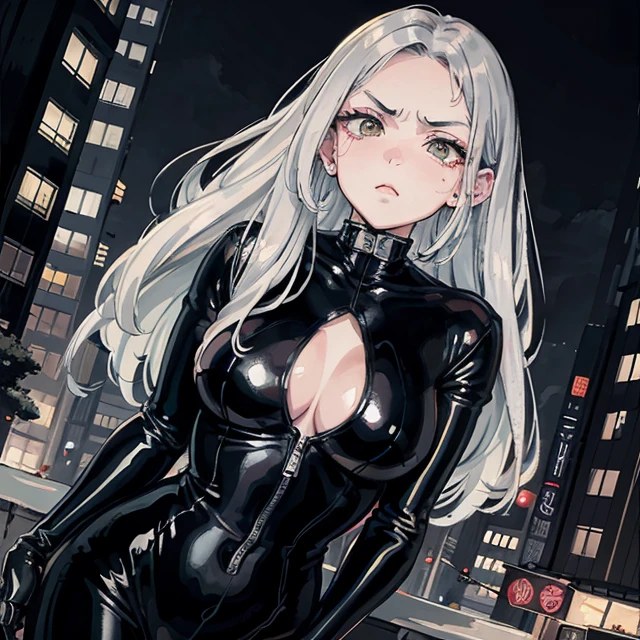
While the digital age has given opportunities for artists (digital or traditional) to showcase their work on the internet, a less discussed but equally significant consequence emerges – the economic challenges faced by artists relying on commissioned work. The proliferation of AI-driven tools and user-friendly platforms threatens to reshape the traditional market for personalized art, impacting the livelihoods of artists who thrive on commissions.
Many artists (hobbyists or professional) could earn a living through commissioned work, or add some revenue to their main income, by producing commissioned artworks (such as caricatures, portraits, or comic pages), but that was before 2022 as this market is being eroded by the accessibility of AI-powered tools.
Competing with AI tools is unfair, they are fast, produce relatively good quality artwork in matter of minutes, this is leaving artists potentially undervalued for their time and expertise. The customer could get dozen of possible artworks version in less than an hour, and if he has the assistance of a prompt engineer or a person skilled in Stable Diffusion (or midjourney), it is just a matter of retouching the best result they have selected in the end. Most AI artwork are public domain.
There are tensions between artists and AI companies, because of the ease of producing AI-generated art quickly and the fact that the database (the checkpoint model) used to generate art is a mix of 'plundered' artwork produced by humans, some from past public domain source, or taken without permission.
Sure the unique, personalized touch that human artists bring to their creations is something that AI is not able to bring to the table, but many customers previously taking commissions are not art literate and will not perceive the difference.
Because some many AI generated images have flooded tumblr, facebook, pinterest, etc ... these new images being mixed with the real work of artists and hobbyist (trying to make a living) has impacted their visibility, client acquisition, and overall market presence.
The artists who manage to learn AI skills have successfully navigated this changing landscape by adapting their skills or finding innovative ways to collaborate with AI tools. And are now a lot more efficient, and produce more and with a keen professional eye.
While many others are struggling. Except for the renowned, recognized one.
The hope is that the future will empower artists to remain competitive while preserving the value of their craft in the face of technological disruption. The hope is that art communities are coming together to support one another, sharing insights, and fostering a sense of solidarity amid industry changes.
As the commissioned art market undergoes a transformation fueled by AI and automation, the economic realities for many artists become increasingly complex. Navigating this landscape requires a delicate balance between adapting to technological shifts and preserving the intrinsic value of personalized, handcrafted art. Artists and the broader creative community must engage in conversations, advocacy, and innovative solutions to ensure the sustainability of artistic livelihoods in the face of evolving digital landscapes.

KREA is a website with a creative assistant and with it you can create text-to-images, alter them in a variety of ways and arrange them in a canvas.
There are basically two different way to use Krea, through the 'on the fly generation' (this is extremely disorienting as an image is automatically generated as you type!)
Or through 'Studio Projects' which is a bit messy.
These below are my first impressions on the interface, I was really impressed by the real time rendering of the image.

Using the same image (as always), I was pretty happy with the result
.jpeg)
Krea is fun because of the real-time feature, but it does not offer a large checkpoint selection, Loras etc ... It is a perfect fit for people discovering AI art, and who wants to see it working fast.
The free plan offer 3mn of runtime, but that is enough to play with Krea and generate 10 to 15 images.
Here is a link to their documentation:
https://krea.gitbook.io/krea-wiki/getting-started/01_getting_started
One of my most visited post on this blog is the propaganda poster article
it is from 2009 and now in 2024 with Artificial intelligence this is even easier
a prompt such as:
'vector poster of a revolutionary soldier woman in commissar uniform with a red star ; in the style of (((vector art))), by Shepard Fairey, in the style of tarot card'
will generate this

In the fascinating world of artificial intelligence, one of the most impressive advancements has been the ability to upscale low-resolution images. Gone are the days when blurry or pixelated pictures were doomed to remain forever in their subpar state.
Thanks to AI-powered algorithms, we now have the means to enhance and upscale the quality of these images, unveiling hidden details and transforming them into visually stunning masterpieces.
Let's take an example with this little picture (source unknown):

In very low quality, google lens cannot even find the source of this photo
And here is new enhanced version of based on this low quality picture

How great is that?
Still using https://www.seaart.ai/ai-tools/ai-filter
I applied the filter to this mage

Using 'Colorful Feathers'

With ai-filter no prompt are required, it just works and return amazing results
just look at these examples:
Traditional Comics
.jpeg)
.jpeg)
.jpeg)
.jpeg)
.jpeg)
.jpeg)
.jpeg)
.jpeg)
.jpeg)

prompt:
Cover, painting of a brigitte bardot with long blue hair in a white t-shirt on one side of a tattooed cyberpunk space with details, luminism, strip lighting, complex, head and shoulders portrait, 4k concept art portrait by Greg Rutkowski, artgram, WLOP, Alphonse Mucha
negative prompt:
(nsfw:1.5),out of frame, cropped, bad proportions, out of frame, bad anatomy, poorly drawn face, morbid, mutilated,((extra eyes)), ((extra arms)), ((extra legs)), ((extra fingers)), ((extra headphones)), ((two headphones)), ((extra heads)), ((extra eyes)) (((2 heads))), duplicate, man, men, blurry, abstract, disfigured, deformed, cartoon, animated, toy, figure, framed, 3d, cartoon, 3d, disfigured, bad art, deformed, poorly drawn, extra limbs, close up, b&w, weird colors, blurry, watermark, blur haze, 2 heads, long neck, watermark, elongated body, cropped image,out of frame,draft,deformed hands, twisted fingers, double image, malformed hands, multiple heads, extra limb, ugly, poorly drawn hands, missing limb, cut-off, over satured, grain, lowères, bad anatomy, poorly drawn face, mutation, mutated, floating limbs, disconnected limbs, out of focus, long body, disgusting, extra fingers, groos proportions, missing arms, mutated hands, cloned face, missing legs
As of October 2023, among the hottest Stable Diffusion checkpoint model the most popular and well-regarded models include:

SeaArt.ai is a web-based AI art generator that allows users to create high-quality digital artworks with just a few clicks. It offers a wide range of features, including:
SeaArt.ai is a great tool for artists of all skill levels, from beginners to professionals. It can be used to create concept art, illustrations, product designs, and more. It is also a fun and creative way to experiment with different art styles and techniques.
Here are some of the pros and cons of SeaArt.ai:
Pros:
Cons:
Overall, SeaArt.ai is a powerful and versatile AI art generator that is well worth checking out. It is a great tool for artists of all skill levels, and it can be used to create a wide variety of digital artworks.
If you are looking for an AI art generator that is easy to use and produces high-quality results, I absolutely recommend SeaArt.ai.

FireAlpaca is a free and open-source raster graphics editor software for Windows, and macOS. It is a popular choice for digital artists of all levels, thanks to its user-friendly interface and powerful features.
FireAlpaca offers a wide range of tools and features, including brushes, layers, filters, and effects. It is also highly customizable.
Overall, FireAlpaca is a great option for digital artists who are looking for a free and powerful software.
Since version [2.11.5] a new feature has been added:

The image generation tool called Leonardo AI is remarkable for its ability to produce stunning images and its unique features that distinguish it from other AI image platforms.
Upon reviewing the community feeds, it is evident that the quality of images generated by Leonardo AI rivals that of well-established platforms.
An added advantage is that Leonardo is currently available for free.
To access Leonardo dashboard, simply enter your email address on the Leonardo.ai website and click "Count Me In." Within a few days, you will receive access to an improved version of Leonardo AI for generating images.
Images from selected models: Leonardo AI utilizes a unique model-tired approach that distinguishes it from other AI image platforms. Instead of relying on foundational models like stable diffusion, Leonardo AI employs fine-tuned models that are optimized for specific styles. These models offer users a style-centric starting point, including 24 platform models optimized for various types of artwork.
This platform even has the option to 'Train your own model': One of the most impressive features is the ability to train your own models. Users can create a dataset by uploading their own images or selecting images from the Leonardo gallery. Once a data set is created, users can fine-tune a new model that leverages the stable diffusion base model, but is specifically tuned to their own data set. They can also create and share community models on the Leonardo platform. This unique approach allows users to not only use the platform's models, but also create and share their own models, creating a network of community models that can be used and extended by others.
Additionally, Leonardo includes a built-in image editor called Canvas, which allows users to edit their generated images. By selecting an image and choosing "edit in Canvas," users can make adjustments and refinements to their images. The generation feature of Leonardo AI allows users to generate more elaborate prompt ideas based on a single prompt. This feature helps users generate more interesting results by providing detailed prompts.

Going down the rabbit hole even deeper, the next level of creating new images using an artificial intelligence (AI), would be to put your images into a website and ask the AI to use them as a source for new images
It is possible, via app.scenario.gg (an invitation process is required)
from there using 30 images, you can get pretty good result

the process is uploading the pictures (they have to be squared 512x512 pixels)
then the training of the generator is the next step
and from there new images variations can be generated
This is quite addictive, I can tell you
If the results are not optimal, best is to use an img2img from huggingface and get better result

Stable Diffusion (SD) is the most flexible, and open way to generate AI artwork, simply because it can be installed locally - compared to other solutions like artbreeder, or midJourney which are proprietary version - stable diffusion is open for the public.
The hardware requirements though is quite demanding, as you will need a recent computer with a modern AMD or Intel processor, 16 GB of RAM, a good video card like NVIDIA RTX GPU (8 GB of memory), and a minimum of 15 GB of free storage space available.
You could theoretically install SD into a virtual machine, but then it will run in a lower speed (not being able to access the video card), generating a simple image of 512x512 will take up to 30mn.
The installer (tested and working as of Dec, 26 2022) is located here (for Linux and Windows) the installation process is pretty long, Python 3 will be installed, then many other python packages...
Once the download is finished, access the extracted zip file and run ./start.sh (which is the way you will later run the SD as well).
In case you get errors, most of the scenarios are covered on this page
https://github.com/cmdr2/stable-diffusion-ui/wiki/Troubleshooting
As for example, I had this scenario:
- the installation went fine, and once it was ended, the internet browser popped up with the address localhost:9000 and then this error would occur:
Killed uvicorn server:app --app-dir ... --port 9000 --host 0.0.0.0
The reason I had this error was that my setup for the virtual machine had too little memory (4GB), and unless I setup up to 12GB that error would appear.